Watch our un-boxing of the all new Lenovo Ideapad Yoga 13. Stay tuned for a full review.
Showing posts with label Computer Hardware. Show all posts
Showing posts with label Computer Hardware. Show all posts
More than just photos are leaking out about Courier, Microsoft's booklet sized tablet currently in development. Gizmodo has a video showing the Courier's user interface in action. The Gizmodo video is on YouTube (see below) and you should also check out Gizmodo's article about it. The second video looks at an earlier engineering prototype called Codex, also with very early UI design ideas. Courier looks to be the digital equivalent of your calendar, address book, notebook, photos and access to the web -- kind of like an "iPhone meets notebook and pen" device.
While the Courier does use gestures and multi-touch commands, probably the biggest question that popped up for me is whether the pen interface (digital ink) is the right choice for the job. Is the pen interface something that belongs in the Tablet PC era, but not in new touch interface devices? Part of me says the pen's a good idea because that's how we are used to capturing information in our notebooks.
But I personally rarely use a notebook or write things with a pen. I always capture information in my laptop or iPhone, which are pretty much with me constantly. Maybe the touch keyboard, like is used with the iPhone, is the way to go. I personally would rather type, even with a simulated digital keyboard, than write with a pen stylus. It's more akin to using my laptop. The downside is the touch keyboard takes up screen real-estate, where a pen interface doesn't. Apple solved this by hiding and showing the touch keyboard as needed. But the touch's keyboard is more of a thumb-style keypad, not sometime you type with like a normal physical keyboard.
What's really intriguing is thinking about Microsoft and Apple battling it out in the marketplace for this new booklet size tablet. You know Apple's device will be cleanly styled, well designed, and have very good usability. Microsoft's Courier interface is new, something we haven't seen before so we don't know what kind of reaction we'll see from users. In the meantime, we're left to watch videos and simulated interfaces. Hopefully not for long.
So... are you a pen interface user or fan? Or do you prefer the touch keyboard?
You want great gaming graphics and super smooth 3D play? Don't want to spend a couple grand on a gaming PC? Look no further. This is your lucky day! We did the research for you and put together this list of parts all available at NewEgg.com at rick bottom prices. One order and about a week later you'll be gaming at today's highest speeds!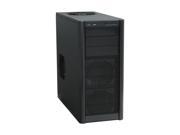
We start with a great solid case. This Antec Three Hundred Black Computer Case will set you back $59.95 but will be the backbone for your speedy gaming PC.
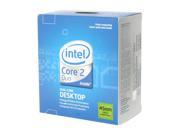
Next we add the brains of the operation to the shopping list. You don't want to skimp out on the CPU so we shot for the best in the "value range". Intel Core 2 Duo is still dominating the CPU wars and this Intel Core 2 Duo E8400 3.0GHz Dual-Core Processor is a great value at less than $165.00.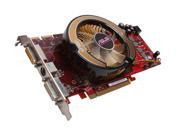 Next up we need a GPU. With gaming systems, the graphical processing demand is usually high. Most gamers are looking to push their gaming experience to higher resolutions with higher screen refresh rates. All this takes a solid graphics card to handle today's hot 3D gaming titles. The ASUS Radeon HD 4850 512MB Video Card gets you into the 4800 series Radeon GPUs at a reasonable price at just under $150.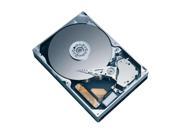
We opted for a Seagate Barracuda 7200.11 500GB SATA 3.0Gb/s Hard Drive to fulfill your storage needs. Hard drives are cheap and at 13 cents per gigabyte you can't go wrong with this hard drive.
You got to have something to plug all these goodies into right! The motherboard is the backbone of any PC build. This is where you can spend money and need to plan on what you will upgrade in the future. We went for an MSI P45 Neo3-FR ATX Intel Motherboard. It won't break the bank but has most all of the bells and whistles of the best boards out there. $109.99
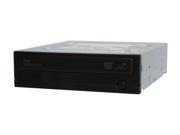
We like Samsung DVD drives for their ultra reliability. Nothing worse than having to deal with a bad DVD drive that doesn't like a particular format of DVDs. The
SAMSUNG 22X DVD Burner Black SATA Model SH-S223F is great taking advantage of SATA bus speeds.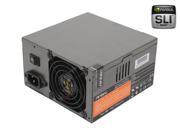
Everyone repeat after me... "Don't skimp on a power supply!" Believe me, the last thing you want to deal with is a starved CPU and motherboard. Today's PC components need power and this SLI Antec Neo Power 500 500W Power Supply will serve you well. $89.99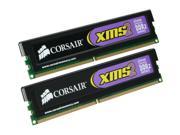
Finally, throw in as much RAM as you can afford. Our budget brings us to this 2GB kit from Corasir. CORSAIR XMS2 2GB (2 x 1GB) 240-Pin DDR2 SDRAM Desktop Memory is reputable and trusted by most over-clockers as some of the most robust chips you can buy. This kit is $40 but many have seen $10 and $20 rebates floating around. Google it and see if you get lucky.
There you have it! For a grand total of $704.88 (at time of this posting) you have a killer gaming PC. Okay you penny pincher, now go buy your kids a nice Christmas gift!
Merry Christmas to all!
We get a lot of requests for updates on our sub $500 home built desktop PC builds. This certainly seems to be the sweet spot for entry level PCs. Sure you can click on that Dell ad that advertises a $499 special on a Vista Desktop but have you ever notices how the price magically ends up at $700+ after you add all the stuff you consider essential components? Yeah, us too!
Here is the answer... build one yourself! Never done one before? Don't sweat it, it is a lot easier than you might think. Read our "E6550 Vista Overclock PC Build" that has detailed pictures and instructions on how to assemble your desktop PC. You can do it... we can help! (Oh wait... didn't I just rip that off?)
CPU
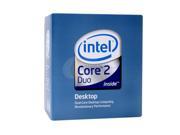
The Intel Core 2 Duo E4500 is an excellent value at less than $130! It runs at a conservative 2.2Ghz with very low per consumption (you overclockers know what I'm getting at here). Plenty of brunt for your basic Vista PC.
Intel Core 2 Duo E4500 2.2GHz LGA 775 65W Dual-Core Processor
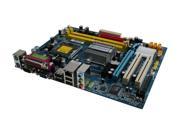
Motherboard
We choose the GIGABYTE GA-G31M-S2L for GYGABYTE's outstanding performance/value reputation. This MB will give you expandability and the flexibility to expand later on if you find the need. It's a great value at about $60.
GIGABYTE GA-G31M-S2L Micro ATX Intel Motherboard
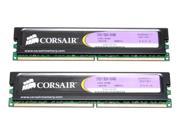
Memory
This is one area that you do not want to skimp too much. Hence we went with tried and true CORSAIR XMS2 2GB (2 x 1GB) modules. These are bullet-proof and will give you years of reliable service! $47.50 - $10 mail in rebate. For our purposes today, $37.50.
CORSAIR 2GB (2 x 1GB) 240-Pin DDR2 800 (PC2 6400) Dual Channel Kit Memory
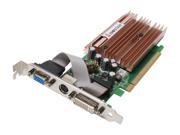
Graphics Card
We wanted to utililze the powerful PCIE x16 graphics bus on our GIGABYTE motherboard so we choose this solid performer keeping in mind that we are building a "budget" PC and not a high-end gaming unit. The BIOSTAR V8402GL26 GeForce 8400 GS 256MB is a good fit with DirectX 10 support. This will allow you to use Vista's aero interface. $30
BIOSTAR GeForce 8400 GS V8402GL26 Video Card
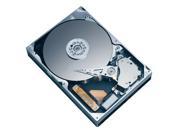
Hard Drive
Storage is getting cheap and with SATA controllers, the Seagate Barracuda 250GB SATA Hard Drive should serve well as your storage device. $55
Seagate Barracuda 7200.10 250GB 3.5" SATA 3.0Gb/s Hard Drive
Optical Drive
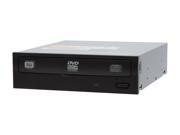
No Blue Ray for you! Perhaps later on when you are ready to upgrade this box, but for now a standard LITE-ON SATA DVD±R DVD Burner will do the trick. $24
LITE-ON 20X DVD±R DVD Burner Black SATA Model iHAS120-04
Case & Power Supply
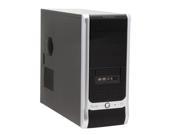
I'm a big fan of Cooler Master cases. Everytime I've used them, I have been impressed with the build quality. You will appreciate this as you build and service your PC. The COOLER MASTER Elite RC-330-KKR1 comes with a 350 watt power supply which should be sufficient for what we are using. $55
COOLER MASTER Elite RC-330-KKR1 Black Computer Case
Finally, add the Microsoft Windows Vista Home Premium SP1 32-bit English 1pk for System Builders DSP OEI DVD and your legal!
Microsoft Windows Vista Home Premium SP1 32-bit English 1pk for System Builders DSP OEI DVD

Our total with software is $500.50.
 Samsung's announces their first 256 GIGABYTE SSD (Solid State Drives). The MLC-flash SATA II drive has speeds of 200MBps read and 160MBps sequential write. They will be available come September, with a 1.8-inch version due in Q4.
These leaps seem to be moving Moore's Law to the digital storage side of computing. We haven't seen this level of progress in the CPU side of things in 5 years!
3D CAD has been around for almost 50 years now in some form or fashion. It started as a tool reserved for programs that had more budgets than time to spend it. This usually meant government research or ultra-rich corporate research departments were the only ones that had the opportunity to utilize these powerful tools.
One of the major cost prohibitive measures was the hardware required to run such complex computations and mathematics. Even as late as the 1990s, workstations had to be specially designed on both the hardware and software ends to accommodate the system requirements of modern 3D CAD and solid modeling software packages.
At the turn of the millennium,
In the past 2 – 3 years, the industry has seen yet another trend in workstation performance. Mobile Workstations like the Dell Precision laptop series has introduced the concept of portable hardware with the power of yesterday’s engineering workstation that not only cost big money, but took up big space and big power. We tested two of the latest additions to the Dell line of Precision laptop workstations and compared them to an equivalently priced standard desktop workstation to see what the performance gap is.
Baseline Workstation – Dell Precision 390
This is as much engineering computation power that $3,000 buys you at Dell. We configured it with the Intel Core®2 Duo E6700 2.66GHz processor, 4.0GB RAM, a 500GB SATA (10,000 rpm) hard drive and 256MB PCIe x16 nVidia Quadro FX3500 video card. This took us right over the $3,000 budget.

Dell Precision M4300 (15.4” Laptop)
The Precision M4300 line of mobile workstations is the next evolution to the M65 series Dell Precision laptop. This seems to be the direct replacement to the M65. It is the mid-sized of the Precision Laptops pack featuring a 15.4” (1920 x 1200) screen. We configured this unit with the Intel Core®2 Duo T7700 2.4GHz processor, 4.0GB of RAM, a 120GB (7200 rpm) hard drive and the NVIDIA Quadro FX 360M video card with 512 MB. This laptop came in right under $3,000.

Dell Precision M2300 (14.1” Laptop)
The Precision M2300 workstation is the lightweight of the Dell Precision laptops. Starting at only 5 lbs (2.27 kg) it is geared towards the heavy mobile user. We configured this unit with the Intel Core®2 Duo T7700 2.4GHz processor, 4.0GB of RAM, a 120GB (7200 rpm) hard drive and the NVIDIA Quadro FX 360M video card with 512 MB. The cost on this laptop was well under $3,000 at about $2,600.
Benchmark Data
Since this test is strictly geared towards high-end CAD users, we decided to use the independent CAD benchmark written by Olaf Corten, OCUS (You can read more about it at this website: http://www.proesite.com/). This benchmark used Pro/ENGINEER to run through several tasks using a script and records time stamps prior to and after each task. The tasks are then broken down into categories to give a clearer picture of what is impacted (CPU, HD or video) by each task.
The chart below reports the results of the testing.
Results are reported in seconds (i.e. lower is better).
| Workstation Description | Total Score | CPU Related Tasks | Graphics Related Tasks | Disk Related Tasks |
| Dell Precision 390 | 537 | 235 | 277 | 56 |
| Dell Precision M4300 | 689 | 318 | 340 | 90 |
| Dell Precision M2300 | 697 | 311 | 351 | 89 |
Given the cost of these three options, it is hard to not justify “going mobile” with your next engineering and high-end 3D workstation. The two Dell Precision laptops performed well along side what is a above average engineering workstation in the traditional sense. The added ability to take you design tasks with you wherever you need is a huge added benefit.
The decision between the M4300 and the M2300 should center on a couple of questions; 1) Will I be using this laptop on a docking station with an external (larger) monitor and 2) what is the ratio of time that this unit will be used in an office environment where power is available and outside locations where you will need to run on battery power. Due to the 14.1” screen size, the M2300’s battery performance is far superior especially when configured with the 9 cell extended battery as we did. We were able to run this mobile workstation at high cpu cycles for almost 5 hours before needed to connect to an external power source. The M4300 struggled to run 3 hours. If you plan on using the unit in an office environment with a docking station with an external monitor, then the small 14.1” screen becomes a benefit rather than a detriment. The occasions when you are undocked is when you will enjoy and appreciate the increased battery life, lighter weight and added overall portability of the M2300 and will not have to deal with any of it’s shortcomings while in a docked state.
In conclusion, I think it is a wise move for any CAD user to invest in a mobile workstation for their next hardware refresh. I’m seeing less and less reasons to justify a desktop workstation as the performance gap continues to narrow.

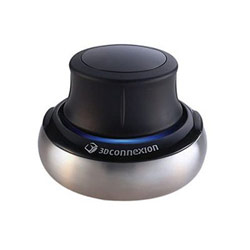
For all you CAD and 3D design gurus out there if you have never heard of a Space Ball or a Space Navigator you are missing out! This nifty little gadget enables you to pan, rotate and zoom 3D models in space simultaneously. Once users get proficient using this device it is reported that productivity is increased dramatically. Many designers haven’t tried one of these because of their high price. The PE is a lower cost version and with this special on Buy.com everyone using a 3D design package (3D Studio Max, Pro/Engineer, SolidWorks, CATIA, NX, etc.) should have one!
Buy.com Link - $37.77 FREE SHIPPING
With everything pretty much in place, we now can install the power supply. We choose a Linkworld LPG2-43-P4-IO ATX12V 630W Power Supply.
We now connected all the cables (SATA, IDE, power, etc.).
We then installed our ATI SAPPHIRE 100195L Radeon X1650 512MB 128-bit GDDR2 PCI Express x16 Video Card. This card was picked as a budget card. At only $52.99 we felt it would be a good baseline card to use before we can get our hands on a good DirectX 10 card to use the Vista Aero interface.
Once everything was connected, we closed up the case and mounted the external CPU cooler speed control to the side of the case routing the cable out the back through a bus port.

We're done!
Notice we had to move our second optical drive down one bay to accommodate a shorter IDE ribbon cable.
There'll be a whole lot more than "Intel Inside" that will be contributing to this workstation's performance!
The Cooler Master case has a couple USB ports and an IEEE 1384 port which we cannot use because this motherboard does not have a hookup for it.
Continued... Part 5 (Testing)
Subscribe to:
Posts (Atom)
